Android Server/Client example - client side using Socket

Posted by Unknown Sabtu, 08 Februari 2014 0 komentar
It's the client side implementation of our Server/Client example, the server side is listed in last post "server side using ServerSocket".

Android client side using Socket

package com.example.androidclient;

import java.io.ByteArrayOutputStream;
import java.io.IOException;
import java.io.InputStream;
import java.net.Socket;
import java.net.UnknownHostException;

import android.os.AsyncTask;
import android.os.Bundle;
import android.app.Activity;
import android.view.View;
import android.view.View.OnClickListener;
import android.widget.Button;
import android.widget.EditText;
import android.widget.TextView;

public class MainActivity extends Activity {

TextView textResponse;
EditText editTextAddress, editTextPort;
Button buttonConnect, buttonClear;

@Override
protected void onCreate(Bundle savedInstanceState) {
super.onCreate(savedInstanceState);
setContentView(R.layout.activity_main);

editTextAddress = (EditText)findViewById(R.id.address);
editTextPort = (EditText)findViewById(R.id.port);
buttonConnect = (Button)findViewById(R.id.connect);
buttonClear = (Button)findViewById(R.id.clear);
textResponse = (TextView)findViewById(R.id.response);

buttonConnect.setOnClickListener(buttonConnectOnClickListener);

buttonClear.setOnClickListener(new OnClickListener(){

@Override
public void onClick(View v) {
textResponse.setText("");
}});
}

OnClickListener buttonConnectOnClickListener =
new OnClickListener(){

@Override
public void onClick(View arg0) {
MyClientTask myClientTask = new MyClientTask(
editTextAddress.getText().toString(),
Integer.parseInt(editTextPort.getText().toString()));
myClientTask.execute();
}};

public class MyClientTask extends AsyncTask<Void, Void, Void> {

String dstAddress;
int dstPort;
String response = "";

MyClientTask(String addr, int port){
dstAddress = addr;
dstPort = port;
}

@Override
protected Void doInBackground(Void... arg0) {

Socket socket = null;

try {
socket = new Socket(dstAddress, dstPort);

ByteArrayOutputStream byteArrayOutputStream =
new ByteArrayOutputStream(1024);
byte[] buffer = new byte[1024];

int bytesRead;
InputStream inputStream = socket.getInputStream();

/*
* notice:
* inputStream.read() will block if no data return
*/
while ((bytesRead = inputStream.read(buffer)) != -1){
byteArrayOutputStream.write(buffer, 0, bytesRead);
response += byteArrayOutputStream.toString("UTF-8");
}

} catch (UnknownHostException e) {
// TODO Auto-generated catch block
e.printStackTrace();
response = "UnknownHostException: " + e.toString();
} catch (IOException e) {
// TODO Auto-generated catch block
e.printStackTrace();
response = "IOException: " + e.toString();
}finally{
if(socket != null){
try {
socket.close();
} catch (IOException e) {
// TODO Auto-generated catch block
e.printStackTrace();
}
}
}
return null;
}

@Override
protected void onPostExecute(Void result) {
textResponse.setText(response);
super.onPostExecute(result);
}

}

}

<LinearLayout xmlns:android="http://schemas.android.com/apk/res/android"
xmlns:tools="http://schemas.android.com/tools"
android:layout_width="match_parent"
android:layout_height="match_parent"
android:paddingBottom="@dimen/activity_vertical_margin"
android:paddingLeft="@dimen/activity_horizontal_margin"
android:paddingRight="@dimen/activity_horizontal_margin"
android:paddingTop="@dimen/activity_vertical_margin"
android:orientation="vertical"
tools:context=".MainActivity" >

<TextView
android:layout_width="wrap_content"
android:layout_height="wrap_content"
android:layout_gravity="center_horizontal"
android:autoLink="web"
android:text="http://android-er.blogspot.com/"
android:textStyle="bold" />
<EditText
android:id="@+id/address"
android:layout_width="match_parent"
android:layout_height="wrap_content"
android:hint="dstAddress" />
<EditText
android:id="@+id/port"
android:layout_width="match_parent"
android:layout_height="wrap_content"
android:hint="dstPort" />
<Button
android:id="@+id/connect"
android:layout_width="match_parent"
android:layout_height="wrap_content"
android:text="Connect..."/>
<Button
android:id="@+id/clear"
android:layout_width="match_parent"
android:layout_height="wrap_content"
android:text="Clear"/>
<TextView
android:id="@+id/response"
android:layout_width="wrap_content"
android:layout_height="wrap_content"/>

</LinearLayout>

Remark: uses-permission of "android.permission.INTERNET" is needed.

download filesDownload the files.


Baca Selengkapnya ....

Android Server/Client example - server side using ServerSocket

Posted by Unknown 0 komentar
It's the server side implementation of our Server/Client example, the client side is listed in next post "client side using Socket".

Android Server using ServerSocket
In this server side implementation, it will list its own IP address when program start. And run in background thread, start a ServerSocket and wait at serverSocket.accept(). Once any request received, it return a message to client side.

package com.example.androidserversocket;

import java.io.IOException;
import java.io.OutputStream;
import java.io.PrintStream;
import java.net.InetAddress;
import java.net.NetworkInterface;
import java.net.ServerSocket;
import java.net.Socket;
import java.net.SocketException;
import java.util.Enumeration;

import android.os.Bundle;
import android.app.Activity;
import android.widget.TextView;

public class MainActivity extends Activity {

TextView info, infoip, msg;
String message = "";
ServerSocket serverSocket;

@Override
protected void onCreate(Bundle savedInstanceState) {
super.onCreate(savedInstanceState);
setContentView(R.layout.activity_main);
info = (TextView) findViewById(R.id.info);
infoip = (TextView) findViewById(R.id.infoip);
msg = (TextView) findViewById(R.id.msg);

infoip.setText(getIpAddress());

Thread socketServerThread = new Thread(new SocketServerThread());
socketServerThread.start();
}

@Override
protected void onDestroy() {
super.onDestroy();

if (serverSocket != null) {
try {
serverSocket.close();
} catch (IOException e) {
// TODO Auto-generated catch block
e.printStackTrace();
}
}
}

private class SocketServerThread extends Thread {

static final int SocketServerPORT = 8080;
int count = 0;

@Override
public void run() {
try {
serverSocket = new ServerSocket(SocketServerPORT);
MainActivity.this.runOnUiThread(new Runnable() {

@Override
public void run() {
info.setText("I'm waiting here: "
+ serverSocket.getLocalPort());
}
});

while (true) {
Socket socket = serverSocket.accept();
count++;
message += "#" + count + " from " + socket.getInetAddress()
+ ":" + socket.getPort() + "\n";

MainActivity.this.runOnUiThread(new Runnable() {

@Override
public void run() {
msg.setText(message);
}
});

SocketServerReplyThread socketServerReplyThread = new SocketServerReplyThread(
socket, count);
socketServerReplyThread.run();

}
} catch (IOException e) {
// TODO Auto-generated catch block
e.printStackTrace();
}
}

}

private class SocketServerReplyThread extends Thread {

private Socket hostThreadSocket;
int cnt;

SocketServerReplyThread(Socket socket, int c) {
hostThreadSocket = socket;
cnt = c;
}

@Override
public void run() {
OutputStream outputStream;
String msgReply = "Hello from Android, you are #" + cnt;

try {
outputStream = hostThreadSocket.getOutputStream();
PrintStream printStream = new PrintStream(outputStream);
printStream.print(msgReply);
printStream.close();

message += "replayed: " + msgReply + "\n";

MainActivity.this.runOnUiThread(new Runnable() {

@Override
public void run() {
msg.setText(message);
}
});

} catch (IOException e) {
// TODO Auto-generated catch block
e.printStackTrace();
message += "Something wrong! " + e.toString() + "\n";
}

MainActivity.this.runOnUiThread(new Runnable() {

@Override
public void run() {
msg.setText(message);
}
});
}

}

private String getIpAddress() {
String ip = "";
try {
Enumeration<NetworkInterface> enumNetworkInterfaces = NetworkInterface
.getNetworkInterfaces();
while (enumNetworkInterfaces.hasMoreElements()) {
NetworkInterface networkInterface = enumNetworkInterfaces
.nextElement();
Enumeration<InetAddress> enumInetAddress = networkInterface
.getInetAddresses();
while (enumInetAddress.hasMoreElements()) {
InetAddress inetAddress = enumInetAddress.nextElement();

if (inetAddress.isSiteLocalAddress()) {
ip += "SiteLocalAddress: "
+ inetAddress.getHostAddress() + "\n";
}

}

}

} catch (SocketException e) {
// TODO Auto-generated catch block
e.printStackTrace();
ip += "Something Wrong! " + e.toString() + "\n";
}

return ip;
}
}

<LinearLayout xmlns:android="http://schemas.android.com/apk/res/android"
xmlns:tools="http://schemas.android.com/tools"
android:layout_width="match_parent"
android:layout_height="match_parent"
android:orientation="vertical"
android:paddingBottom="@dimen/activity_vertical_margin"
android:paddingLeft="@dimen/activity_horizontal_margin"
android:paddingRight="@dimen/activity_horizontal_margin"
android:paddingTop="@dimen/activity_vertical_margin"
tools:context=".MainActivity" >

<TextView
android:layout_width="wrap_content"
android:layout_height="wrap_content"
android:layout_gravity="center_horizontal"
android:autoLink="web"
android:text="http://android-er.blogspot.com/"
android:textStyle="bold" />

<TextView
android:id="@+id/info"
android:layout_width="wrap_content"
android:layout_height="wrap_content" />
<TextView
android:id="@+id/infoip"
android:layout_width="wrap_content"
android:layout_height="wrap_content" />

<ScrollView
android:layout_width="match_parent"
android:layout_height="match_parent" >

<TextView
android:id="@+id/msg"
android:layout_width="wrap_content"
android:layout_height="wrap_content" />
</ScrollView>

</LinearLayout>

Remark: uses-permission of "android.permission.INTERNET" is needed.

download filesDownload the files.


Baca Selengkapnya ....

Get my IP Address

Posted by Unknown Jumat, 07 Februari 2014 0 komentar
It's a example to list IP address of Android device.

my IP Address
my IP Address

package com.example.androidmyip;

import java.net.InetAddress;
import java.net.NetworkInterface;
import java.net.SocketException;
import java.util.Enumeration;

import android.os.Bundle;
import android.app.Activity;
import android.widget.TextView;

public class MainActivity extends Activity {

TextView info;

@Override
protected void onCreate(Bundle savedInstanceState) {
super.onCreate(savedInstanceState);
setContentView(R.layout.activity_main);
info = (TextView)findViewById(R.id.info);

info.setText(getIpAddress());
//info.setText(getLocalIpAddress());
}

private String getIpAddress(){
String ip = "";
try {
Enumeration<NetworkInterface> enumNetworkInterfaces =
NetworkInterface.getNetworkInterfaces();
while(enumNetworkInterfaces.hasMoreElements()){
NetworkInterface networkInterface =
enumNetworkInterfaces.nextElement();
Enumeration<InetAddress> enumInetAddress =
networkInterface.getInetAddresses();
while(enumInetAddress.hasMoreElements()){
InetAddress inetAddress = enumInetAddress.nextElement();

String ipAddress = "";
if(inetAddress.isLoopbackAddress()){
ipAddress = "LoopbackAddress: ";
}else if(inetAddress.isSiteLocalAddress()){
ipAddress = "SiteLocalAddress: ";
}else if(inetAddress.isLinkLocalAddress()){
ipAddress = "LinkLocalAddress: ";
}else if(inetAddress.isMulticastAddress()){
ipAddress = "MulticastAddress: ";
}
ip += ipAddress + inetAddress.getHostAddress() + "\n";
}

}

} catch (SocketException e) {
// TODO Auto-generated catch block
e.printStackTrace();
ip += "Something Wrong! " + e.toString() + "\n";
}

return ip;
}

}

<LinearLayout xmlns:android="http://schemas.android.com/apk/res/android"
xmlns:tools="http://schemas.android.com/tools"
android:layout_width="match_parent"
android:layout_height="match_parent"
android:paddingBottom="@dimen/activity_vertical_margin"
android:paddingLeft="@dimen/activity_horizontal_margin"
android:paddingRight="@dimen/activity_horizontal_margin"
android:paddingTop="@dimen/activity_vertical_margin"
android:orientation="vertical"
tools:context=".MainActivity" >

<TextView
android:layout_width="wrap_content"
android:layout_height="wrap_content"
android:layout_gravity="center_horizontal"
android:autoLink="web"
android:text="http://android-er.blogspot.com/"
android:textStyle="bold" />

<TextView
android:id="@+id/info"
android:layout_width="wrap_content"
android:layout_height="wrap_content" />

</LinearLayout>

Remark: <uses-permission android:name="android.permission.INTERNET"/> is needed in AndroidManifest.xml.

download filesDownload the files.


Baca Selengkapnya ....

Energy Bar - Amazing MIUI-Style battery indicator

Posted by Unknown 0 komentar
Ever wanted to customize your device with style? Many people are using a simple battery icon to find out the battery percentage. But you can be different! Try Energy Bar and show your battery level with style!

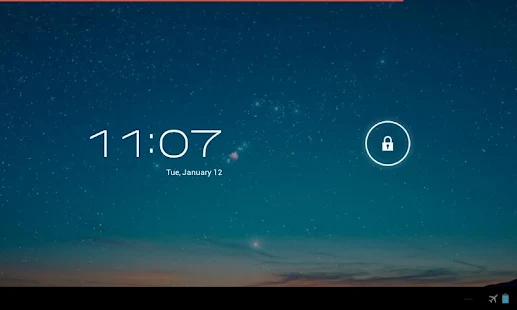
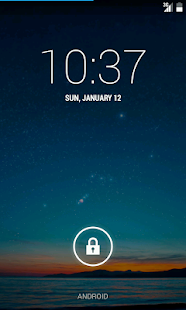
Energy Bar is a simple and light app which, however, can be very useful for many of you. This app shows your current battery status in a very neat way by putting a colorful line on top of your screen, check the picture:

Energy Bar - screenshot thumbnail

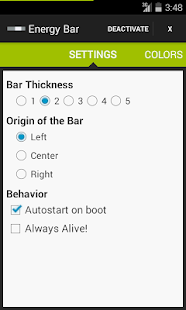
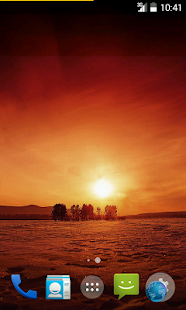
This slight effect can be absolutely amazing if you customize it properly with your homescreen, change the colors or set the right thickness:

Energy Bar - screenshot thumbnailEnergy Bar - screenshot thumbnailEnergy Bar - screenshot thumbnail

This interactive UI is not only for effect but also nicely shows the current battery percentage. If you cannot estimate the status, set the multicolor feature which will change the color of the line according to actual status of your battery.

App is really lightweight, either as it puts 0% load on CPU or battery, either it only has 877Kb. App does NOT require root and is available on Google Play Store for free!


Baca Selengkapnya ....

Search USB device for specified Vendor ID and Product ID

Posted by Unknown Selasa, 04 Februari 2014 0 komentar
In previous posts of Android USB Host Mode example, we list all attached USB devices. In this example, we are going to search USB device for specified Vendor ID and Product ID, targetVendorID and targetProductID.

Search USB device for specified Vendor ID and Product ID
Mainly modified checkDeviceInfo() in last post "Read iManufacturer and iProduct of USB Device from raw Device Descriptors".

package com.example.androidusbhost;

import java.io.UnsupportedEncodingException;
import java.util.ArrayList;
import java.util.HashMap;
import java.util.Iterator;

import android.hardware.usb.UsbConstants;
import android.hardware.usb.UsbDevice;
import android.hardware.usb.UsbDeviceConnection;
import android.hardware.usb.UsbEndpoint;
import android.hardware.usb.UsbInterface;
import android.hardware.usb.UsbManager;
import android.os.Bundle;
import android.view.View;
import android.view.View.OnClickListener;
import android.widget.AdapterView;
import android.widget.AdapterView.OnItemSelectedListener;
import android.widget.ArrayAdapter;
import android.widget.Button;
import android.widget.Spinner;
import android.widget.TextView;
import android.widget.Toast;
import android.app.Activity;
import android.app.PendingIntent;
import android.content.BroadcastReceiver;
import android.content.Context;
import android.content.Intent;
import android.content.IntentFilter;

public class MainActivity extends Activity {

Button btnCheck;
TextView textInfo;
TextView textInfoInterface;
TextView textEndPoint;

TextView textDeviceName;

Spinner spInterface;
ArrayList<String> listInterface;
ArrayList<UsbInterface> listUsbInterface;
ArrayAdapter<String> adapterInterface;

Spinner spEndPoint;
ArrayList<String> listEndPoint;
ArrayList<UsbEndpoint> listUsbEndpoint;
ArrayAdapter<String> adapterEndpoint;

Button btnReadRawDescriptors;

private static final int targetVendorID= 9025;
private static final int targetProductID = 32828;
UsbDevice deviceFound = null;

private static final String ACTION_USB_PERMISSION =
"com.android.example.USB_PERMISSION";
PendingIntent mPermissionIntent;

@Override
protected void onCreate(Bundle savedInstanceState) {
super.onCreate(savedInstanceState);
setContentView(R.layout.activity_main);

textDeviceName = (TextView)findViewById(R.id.textdevicename);
spInterface = (Spinner)findViewById(R.id.spinnerinterface);
spEndPoint = (Spinner)findViewById(R.id.spinnerendpoint);
textInfo = (TextView) findViewById(R.id.info);
textInfoInterface = (TextView)findViewById(R.id.infointerface);
textEndPoint = (TextView)findViewById(R.id.infoendpoint);

btnCheck = (Button) findViewById(R.id.check);
btnCheck.setText("Check for device: \n" +
"VendorID=" + targetVendorID + "\n" +
"ProductID=" + targetProductID);
btnCheck.setOnClickListener(new OnClickListener() {

@Override
public void onClick(View arg0) {
checkDeviceInfo();
}
});

btnReadRawDescriptors = (Button)findViewById(R.id.readRawDescriptors);
btnReadRawDescriptors.setEnabled(false);
btnReadRawDescriptors.setOnClickListener(btnReadRawDescriptorsOnClickListener);

//register the broadcast receiver
mPermissionIntent = PendingIntent.getBroadcast(this, 0, new Intent(ACTION_USB_PERMISSION), 0);
IntentFilter filter = new IntentFilter(ACTION_USB_PERMISSION);
registerReceiver(mUsbReceiver, filter);
}

OnClickListener btnReadRawDescriptorsOnClickListener =
new OnClickListener(){

@Override
public void onClick(View arg0) {
UsbDevice deviceToRead = deviceFound;
UsbManager manager = (UsbManager) getSystemService(Context.USB_SERVICE);

Boolean permitToRead = manager.hasPermission(deviceToRead);

if(permitToRead){
doReadRawDescriptors(deviceToRead);
}else{
manager.requestPermission(deviceToRead, mPermissionIntent);
Toast.makeText(MainActivity.this,
"Permission: " + permitToRead,
Toast.LENGTH_LONG).show();
}
}

};

private final BroadcastReceiver mUsbReceiver =
new BroadcastReceiver() {

@Override
public void onReceive(Context context, Intent intent) {
String action = intent.getAction();
if (ACTION_USB_PERMISSION.equals(action)) {
synchronized (this) {
UsbDevice device = (UsbDevice)intent.getParcelableExtra(UsbManager.EXTRA_DEVICE);

if (intent.getBooleanExtra(UsbManager.EXTRA_PERMISSION_GRANTED, false)) {
if(device != null){
doReadRawDescriptors(device);
}
}
else {
Toast.makeText(MainActivity.this,
"permission denied for device " + device,
Toast.LENGTH_LONG).show();
}
}
}
}

};

private void doReadRawDescriptors(UsbDevice device){
final int STD_USB_REQUEST_GET_DESCRIPTOR = 0x06;
final int LIBUSB_DT_STRING = 0x03;

boolean forceClaim = true;

byte[] buffer = new byte[255];
int indexManufacturer = 14;
int indexProduct = 15;
String stringManufacturer = "";
String stringProduct = "";

UsbManager manager = (UsbManager) getSystemService(Context.USB_SERVICE);
UsbDeviceConnection connection = manager.openDevice(device);
if(connection != null){
UsbInterface intf = device.getInterface(0);
connection.claimInterface(intf, forceClaim);

byte[] rawDescriptors = connection.getRawDescriptors();

int lengthManufacturer = connection.controlTransfer(
UsbConstants.USB_DIR_IN|UsbConstants.USB_TYPE_STANDARD,
STD_USB_REQUEST_GET_DESCRIPTOR,
(LIBUSB_DT_STRING << 8) | rawDescriptors[indexManufacturer],
0,
buffer,
0xFF,
0);
try {
stringManufacturer = new String(buffer, 2, lengthManufacturer-2, "UTF-16LE");
} catch (UnsupportedEncodingException e) {
Toast.makeText(MainActivity.this, e.toString(), Toast.LENGTH_LONG).show();
}

int lengthProduct = connection.controlTransfer(
UsbConstants.USB_DIR_IN|UsbConstants.USB_TYPE_STANDARD,
STD_USB_REQUEST_GET_DESCRIPTOR,
(LIBUSB_DT_STRING << 8) | rawDescriptors[indexProduct],
0,
buffer,
0xFF,
0);
try {
stringProduct = new String(buffer, 2, lengthProduct-2, "UTF-16LE");
} catch (UnsupportedEncodingException e) {
// TODO Auto-generated catch block
e.printStackTrace();
}

Toast.makeText(MainActivity.this,
"Manufacturer: " + stringManufacturer + "\n" +
"Product: " + stringProduct,
Toast.LENGTH_LONG).show();

connection.releaseInterface(intf);
connection.close();
}else{
Toast.makeText(MainActivity.this,
"open failed",
Toast.LENGTH_LONG).show();
}
}

private void checkDeviceInfo() {

deviceFound = null;

UsbManager manager = (UsbManager) getSystemService(Context.USB_SERVICE);
HashMap<String, UsbDevice> deviceList = manager.getDeviceList();
Iterator<UsbDevice> deviceIterator = deviceList.values().iterator();

btnReadRawDescriptors.setEnabled(false);
while (deviceIterator.hasNext()) {
UsbDevice device = deviceIterator.next();

if(device.getVendorId()==targetVendorID){
if(device.getProductId()==targetProductID){
btnReadRawDescriptors.setEnabled(true);
deviceFound = device;
}
}
}

textInfo.setText("");
textInfoInterface.setText("");
textEndPoint.setText("");

if(deviceFound==null){
Toast.makeText(MainActivity.this,
"device not found",
Toast.LENGTH_LONG).show();
}else{
String i = deviceFound.toString() + "\n" +
"DeviceID: " + deviceFound.getDeviceId() + "\n" +
"DeviceName: " + deviceFound.getDeviceName() + "\n" +
"DeviceClass: " + deviceFound.getDeviceClass() + " - "
+ translateDeviceClass(deviceFound.getDeviceClass()) + "\n" +
"DeviceSubClass: " + deviceFound.getDeviceSubclass() + "\n" +
"VendorID: " + deviceFound.getVendorId() + "\n" +
"ProductID: " + deviceFound.getProductId() + "\n" +
"InterfaceCount: " + deviceFound.getInterfaceCount();
textInfo.setText(i);

checkUsbDevicve(deviceFound);
}

}

OnItemSelectedListener deviceOnItemSelectedListener =
new OnItemSelectedListener(){

@Override
public void onItemSelected(AdapterView<?> parent,
View view, int position, long id) {
UsbDevice device = deviceFound;

String i = device.toString() + "\n" +
"DeviceID: " + device.getDeviceId() + "\n" +
"DeviceName: " + device.getDeviceName() + "\n" +
"DeviceClass: " + device.getDeviceClass() + " - "
+ translateDeviceClass(device.getDeviceClass()) + "\n" +
"DeviceSubClass: " + device.getDeviceSubclass() + "\n" +
"VendorID: " + device.getVendorId() + "\n" +
"ProductID: " + device.getProductId() + "\n" +
"InterfaceCount: " + device.getInterfaceCount();
textInfo.setText(i);

checkUsbDevicve(device);
}

@Override
public void onNothingSelected(AdapterView<?> parent) {}

};

private void checkUsbDevicve(UsbDevice d) {
listInterface = new ArrayList<String>();
listUsbInterface = new ArrayList<UsbInterface>();

for(int i=0; i<d.getInterfaceCount(); i++){
UsbInterface usbif = d.getInterface(i);
listInterface.add(usbif.toString());
listUsbInterface.add(usbif);
}

adapterInterface = new ArrayAdapter<String>(this,
android.R.layout.simple_spinner_item, listInterface);
adapterInterface.setDropDownViewResource(android.R.layout.simple_spinner_dropdown_item);
spInterface.setAdapter(adapterInterface);
spInterface.setOnItemSelectedListener(interfaceOnItemSelectedListener);
}

OnItemSelectedListener interfaceOnItemSelectedListener =
new OnItemSelectedListener(){

@Override
public void onItemSelected(AdapterView<?> parent,
View view, int position, long id) {

UsbInterface selectedUsbIf = listUsbInterface.get(position);

String sUsbIf = "\n" + selectedUsbIf.toString() + "\n"
+ "Id: " + selectedUsbIf.getId() + "\n"
+ "InterfaceClass: " + selectedUsbIf.getInterfaceClass() + "\n"
+ "InterfaceProtocol: " + selectedUsbIf.getInterfaceProtocol() + "\n"
+ "InterfaceSubclass: " + selectedUsbIf.getInterfaceSubclass() + "\n"
+ "EndpointCount: " + selectedUsbIf.getEndpointCount();

textInfoInterface.setText(sUsbIf);
checkUsbInterface(selectedUsbIf);
}

@Override
public void onNothingSelected(AdapterView<?> parent) {}

};

private void checkUsbInterface(UsbInterface uif) {
listEndPoint = new ArrayList<String>();
listUsbEndpoint = new ArrayList<UsbEndpoint>();

for(int i=0; i<uif.getEndpointCount(); i++){
UsbEndpoint usbEndpoint = uif.getEndpoint(i);
listEndPoint.add(usbEndpoint.toString());
listUsbEndpoint.add(usbEndpoint);
}

adapterEndpoint = new ArrayAdapter<String>(this,
android.R.layout.simple_spinner_item, listEndPoint);
adapterEndpoint.setDropDownViewResource(android.R.layout.simple_spinner_dropdown_item);
spEndPoint.setAdapter(adapterEndpoint);
spEndPoint.setOnItemSelectedListener(endpointOnItemSelectedListener);
}

OnItemSelectedListener endpointOnItemSelectedListener =
new OnItemSelectedListener(){

@Override
public void onItemSelected(AdapterView<?> parent,
View view, int position, long id) {

UsbEndpoint selectedEndpoint = listUsbEndpoint.get(position);

String sEndpoint = "\n" + selectedEndpoint.toString() + "\n"
+ translateEndpointType(selectedEndpoint.getType());

textEndPoint.setText(sEndpoint);
}

@Override
public void onNothingSelected(AdapterView<?> parent) {}

};

private String translateEndpointType(int type){
switch(type){
case UsbConstants.USB_ENDPOINT_XFER_CONTROL:
return "USB_ENDPOINT_XFER_CONTROL (endpoint zero)";
case UsbConstants.USB_ENDPOINT_XFER_ISOC:
return "USB_ENDPOINT_XFER_ISOC (isochronous endpoint)";
case UsbConstants.USB_ENDPOINT_XFER_BULK :
return "USB_ENDPOINT_XFER_BULK (bulk endpoint)";
case UsbConstants.USB_ENDPOINT_XFER_INT:
return "USB_ENDPOINT_XFER_INT (interrupt endpoint)";
default:
return "unknown";
}
}

private String translateDeviceClass(int deviceClass){
switch(deviceClass){
case UsbConstants.USB_CLASS_APP_SPEC:
return "Application specific USB class";
case UsbConstants.USB_CLASS_AUDIO:
return "USB class for audio devices";
case UsbConstants.USB_CLASS_CDC_DATA:
return "USB class for CDC devices (communications device class)";
case UsbConstants.USB_CLASS_COMM:
return "USB class for communication devices";
case UsbConstants.USB_CLASS_CONTENT_SEC:
return "USB class for content security devices";
case UsbConstants.USB_CLASS_CSCID:
return "USB class for content smart card devices";
case UsbConstants.USB_CLASS_HID:
return "USB class for human interface devices (for example, mice and keyboards)";
case UsbConstants.USB_CLASS_HUB:
return "USB class for USB hubs";
case UsbConstants.USB_CLASS_MASS_STORAGE:
return "USB class for mass storage devices";
case UsbConstants.USB_CLASS_MISC:
return "USB class for wireless miscellaneous devices";
case UsbConstants.USB_CLASS_PER_INTERFACE:
return "USB class indicating that the class is determined on a per-interface basis";
case UsbConstants.USB_CLASS_PHYSICA:
return "USB class for physical devices";
case UsbConstants.USB_CLASS_PRINTER:
return "USB class for printers";
case UsbConstants.USB_CLASS_STILL_IMAGE:
return "USB class for still image devices (digital cameras)";
case UsbConstants.USB_CLASS_VENDOR_SPEC:
return "Vendor specific USB class";
case UsbConstants.USB_CLASS_VIDEO:
return "USB class for video devices";
case UsbConstants.USB_CLASS_WIRELESS_CONTROLLER:
return "USB class for wireless controller devices";
default: return "Unknown USB class!";

}
}

}

<LinearLayout xmlns:android="http://schemas.android.com/apk/res/android"
xmlns:tools="http://schemas.android.com/tools"
android:layout_width="match_parent"
android:layout_height="match_parent"
android:orientation="vertical"
android:paddingBottom="@dimen/activity_vertical_margin"
android:paddingLeft="@dimen/activity_horizontal_margin"
android:paddingRight="@dimen/activity_horizontal_margin"
android:paddingTop="@dimen/activity_vertical_margin"
tools:context=".MainActivity" >

<TextView
android:layout_width="wrap_content"
android:layout_height="wrap_content"
android:layout_gravity="center_horizontal"
android:autoLink="web"
android:text="http://android-er.blogspot.com/"
android:textStyle="bold" />

<Button
android:id="@+id/check"
android:layout_width="match_parent"
android:layout_height="wrap_content"
android:text="Check USB devices" />

<TextView
android:id="@+id/textdevicename"
android:layout_width="match_parent"
android:layout_height="wrap_content"
android:textStyle="bold|italic" />

<Button
android:id="@+id/readRawDescriptors"
android:layout_width="match_parent"
android:layout_height="wrap_content"
android:text="Read Raw Descriptors" />

<Spinner
android:id="@+id/spinnerinterface"
android:layout_width="match_parent"
android:layout_height="wrap_content" />

<Spinner
android:id="@+id/spinnerendpoint"
android:layout_width="match_parent"
android:layout_height="wrap_content" />

<ScrollView
android:layout_width="match_parent"
android:layout_height="match_parent" >

<LinearLayout
android:layout_width="match_parent"
android:layout_height="wrap_content"
android:orientation="vertical" >

<TextView
android:id="@+id/info"
android:layout_width="match_parent"
android:layout_height="wrap_content" />

<TextView
android:id="@+id/infointerface"
android:layout_width="match_parent"
android:layout_height="wrap_content"
android:textStyle="italic" />

<TextView
android:id="@+id/infoendpoint"
android:layout_width="match_parent"
android:layout_height="wrap_content"
android:textStyle="bold" />

</LinearLayout>
</ScrollView>

</LinearLayout>


download filesDownload the files.


Step-by-step: Android USB Host Mode programming


Baca Selengkapnya ....

Android USB Host Mode, step-by-step

Posted by Unknown 0 komentar
When your Android-powered device is in USB host mode, it acts as the USB host, powers the bus, and enumerates connected USB devices. USB host mode is supported in Android 3.1 and higher.

I'm do some exercise on Android USB Host Mode, here is the list of the related posts.


Baca Selengkapnya ....

Samsung announces Galaxy Tab for students

Posted by Unknown 0 komentar
Apparently following the more is more philosophy, Samsung USA has revealed that they will be releasing a Galaxy Tab designed for education.

Available for grades Kindergarten through 12th grade, the education-centric tablet will give students access to specific content created for digital instruction.The tab has been created in coordination with the Google Play for Education program.
We don’t have the nitty-gritty on the “Edu-Tab’s” tech specs yet, but we do know it’ll rock a 10.1” WXGA screen with a 16:10 aspect ratio, and will have WiFi, a dual-camera set-up, NFC, and Android 4.4, Kit-Kat, right out of the box.
The content that will be pre-loaded on the tablet will all be teacher approved as part of the Google Play for Education program. Additional apps can be purchased with a school PO instead of a customary credit card, as well.
Are you an educator that wants to get this tablet in the hands of your students? You’ll have to wait until April, when the slate drops, to do so.

Baca Selengkapnya ....
Trik SEO Terbaru support Online Shop Baju Wanita - Original design by Bamz | Copyright of android gingerbread.